Saturday, August 3, 2013

Wikipedia is going Secure…{https.for logged in Users]

Just days after reports revealed thatNational Security Agency (NSA) in the US actively looked at what people read on Wikipedia, Wikimedia Foundation announced on its website that it would implement HTTPS for logged-in users.

The foundation, a non-profit organization, manages Wikipedia. The S in HTTPS stands for secure.

Two days ago, Guardian newspaper revealed that with the help of a tool called XKeyscore, NSA was monitoring web users who accessed Wikipedia, the world's 7th most popular website.

Wikimedia said that to start with, it would offer HTTPS connection to all logged-in users from August 21. It will then gradually roll-out HTTPS for all users as well as implement additional security measures to make it harder for governments to snoop on Wikipedia users. However, it did not specify any deadlines for the additional security measures.

Following the Guardian report, Jimmy Wales, the co-founder of Wikipedia, had revealed on Twitter that the website was planning to switch to HTTPS from HTTP but there were a few bugs that had delayed the process.

"Our current architecture cannot handle HTTPS by default, but we've been incrementally making changes to make it possible. Since we appear to be specifically targeted by XKeyscore, we'll be speeding up these efforts," Wikimedia said on its website.

On Friday Wales announced the Wikimedia decision and tweeted, "I challenge the rest of the industry to join us. Encryption is a human rights issue."

HTTPS is more secure compared to HTTP. Websites using HTTPS establish a secure connection between their servers and the user's computer and greatly minimize the privacy risk. The secure connection means that third parties like government agencies or internet service providers (ISPs) can not read the content of data that a website and its users exchange.

However, the government agencies, hackers and internet service providers can still collect this data and possibly read it if they can break the encryption.

Initially, only banks and other organizations mindful of cyber security risks used HTTPS. But gradually email service providers and e-commerce websites started using it on their login pages. Currently, popular websites like Google, Facebook and Twitter use HTTPS but the majority of websites, including big ones like Yahoo! still rely on HTTP.

The wolds Most Unsafe ATM PIN Numbers – A Study.

A study by Data Genetics has discovered the most dangerous PIN numbers by analyzing 3.4 million passwords.

Representational image

Representational image - DNA

A study has revealed that the world’s most popular four-digit ATM PIN number combinations, like 1234, are the most dangerous combinations and can be guessed easily.

The Huffington Post reports that there are 10,000 different possible four-digit ATM PIN numbers, but almost 11 percent of PINs are the most easiest to crack.

A study by Data Genetics has discovered the most dangerous PIN numbers by analyzing 3.4 million passwords.

The top 10 most commonly used PIN numbers found out by the study are 1234, 1111, 0000, 1212, 7777, 1004, 2000, 4444, 2222, 6969

The top 10 most common passwords make up over 20 percent of all of the passwords found, the report added.

Meanwhile, 26.83 percent of all passwords could be guessed by attempting the top 20 most popular combinations.

The study also revealed that four digit numbers starting with 19, for 19th century, are also bad passwords.

Meanwhile, the study also found out the best, but least popular, passwords to be 8068, 8093, 9629, 6835, 7637, 0738, 8398, 6793, 9480, 8957.

for More visit : fun1ly.blogspot.in

Now USB reached the speed of 10 Mbps..!

Universal Serial Bus, the connectivity standard so ubiquitous the world has long stopped caring about the derivation of the USB acronym, has just been upgraded to 10 Gbps.

The upgrade comes in the form of a .1 release, USB 3.1, that is backwards compatible with USB 3.0 and 2.0 kit. The new speed will only be achievable with kit using USB 3.1, but such products will work just fine in older USB ports.

The move to USB 3.1 was foreshadowed back in January 2013, so is no surprise, not even to Intel, whose Architecture Group veep Alex Peleg says in the canned statement (PDF) noting the new spec that “The industry has affirmed the strong demand for higher through-put, for user-connected peripherals and docks” and “Intel is fully committed to deliver on this request.”

We mention Chipzilla because it's been pushing its own Thunderbolt I/O standard as an alternative to USB. Those efforts have been less than astoundingly successful, as peripheral-makers have not adopted the standard, leading PC-makers like Acer towalk away because there's no point adding a feature users don't want.

Thunderbolt's still faster than USB 3.1 – the second version of Intel's baby hums along at 20 Gbps – and it has daisy chaining tricks that USB doesn't match. USB's retort is to point to the scoreboard of signed-up, productive, peripheral-makers. Thunderbolt's list mentions fewer than 120 products using the technology.

The USB 3.1 Logo

The USB 3.1 logo

The USB Implementers Forum says it has 800 members, and the space fiend alone knows how many products they collectively offer.

Information sessions on USB 3.1 kick off on August 21st. There's no word on when kit using the new version of the standard will land, but as the standard's been kicked around between USB forum members for ages there are few impediments to its implementation

Google Releases Android 4.3..!

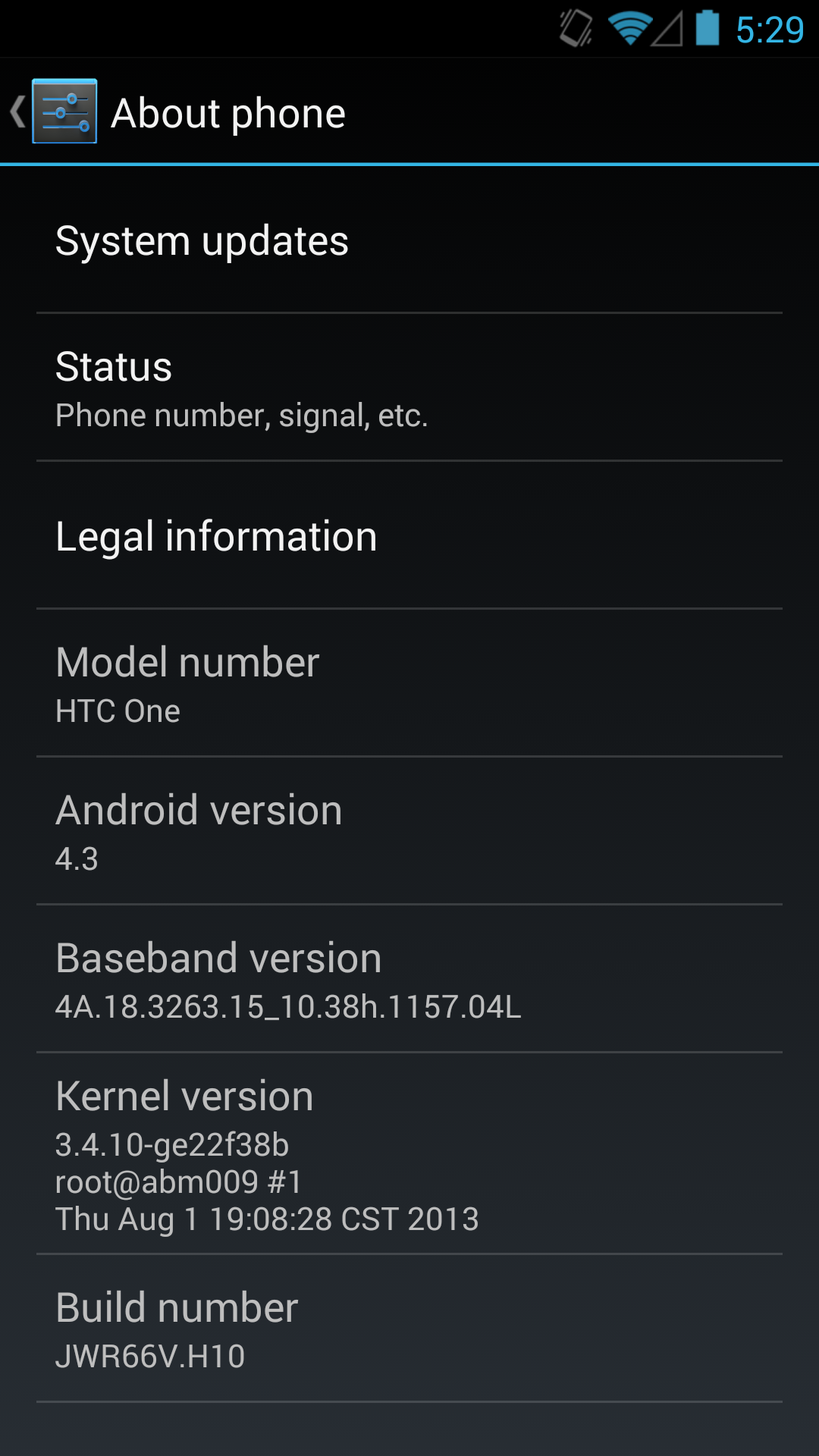
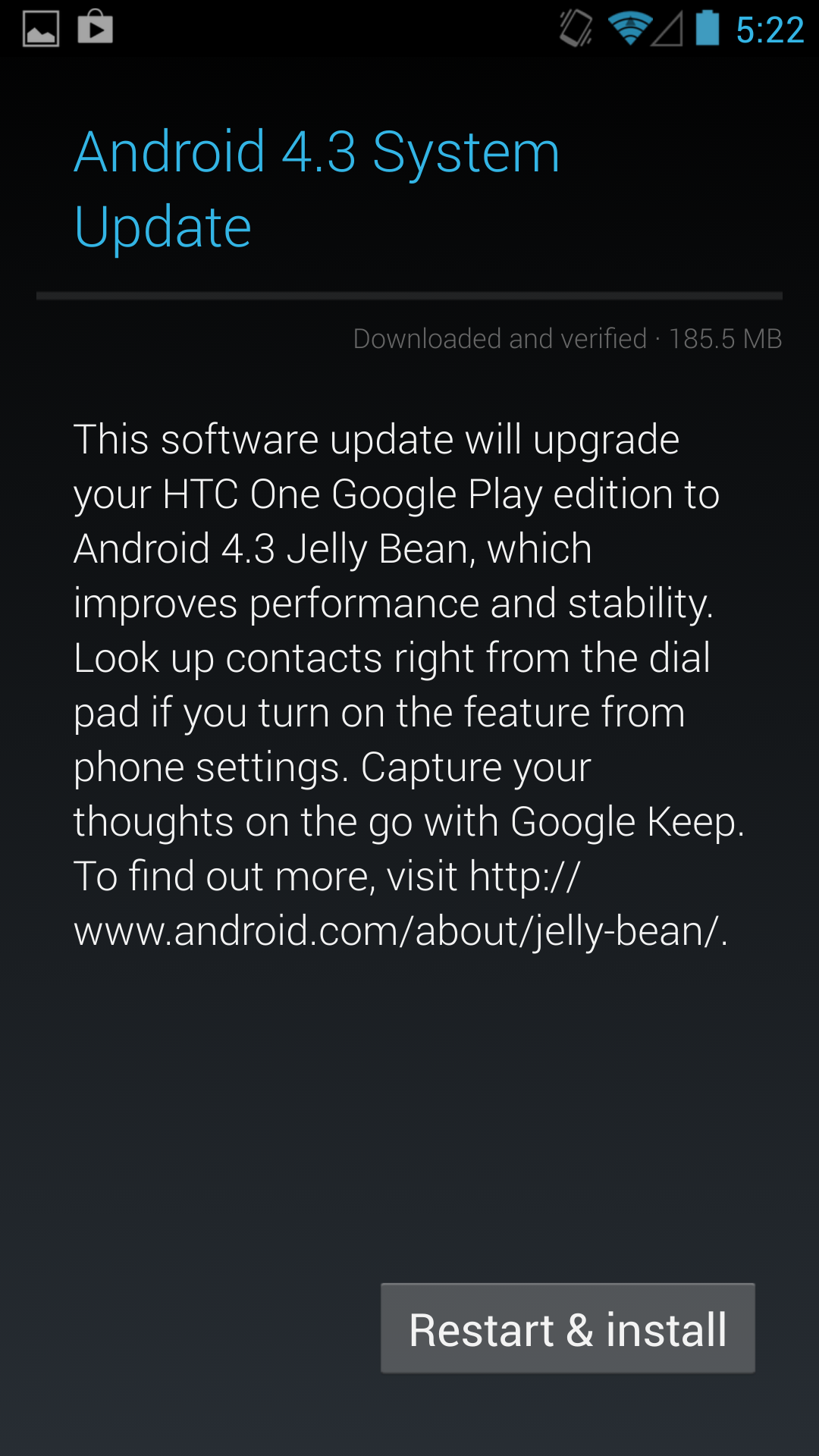
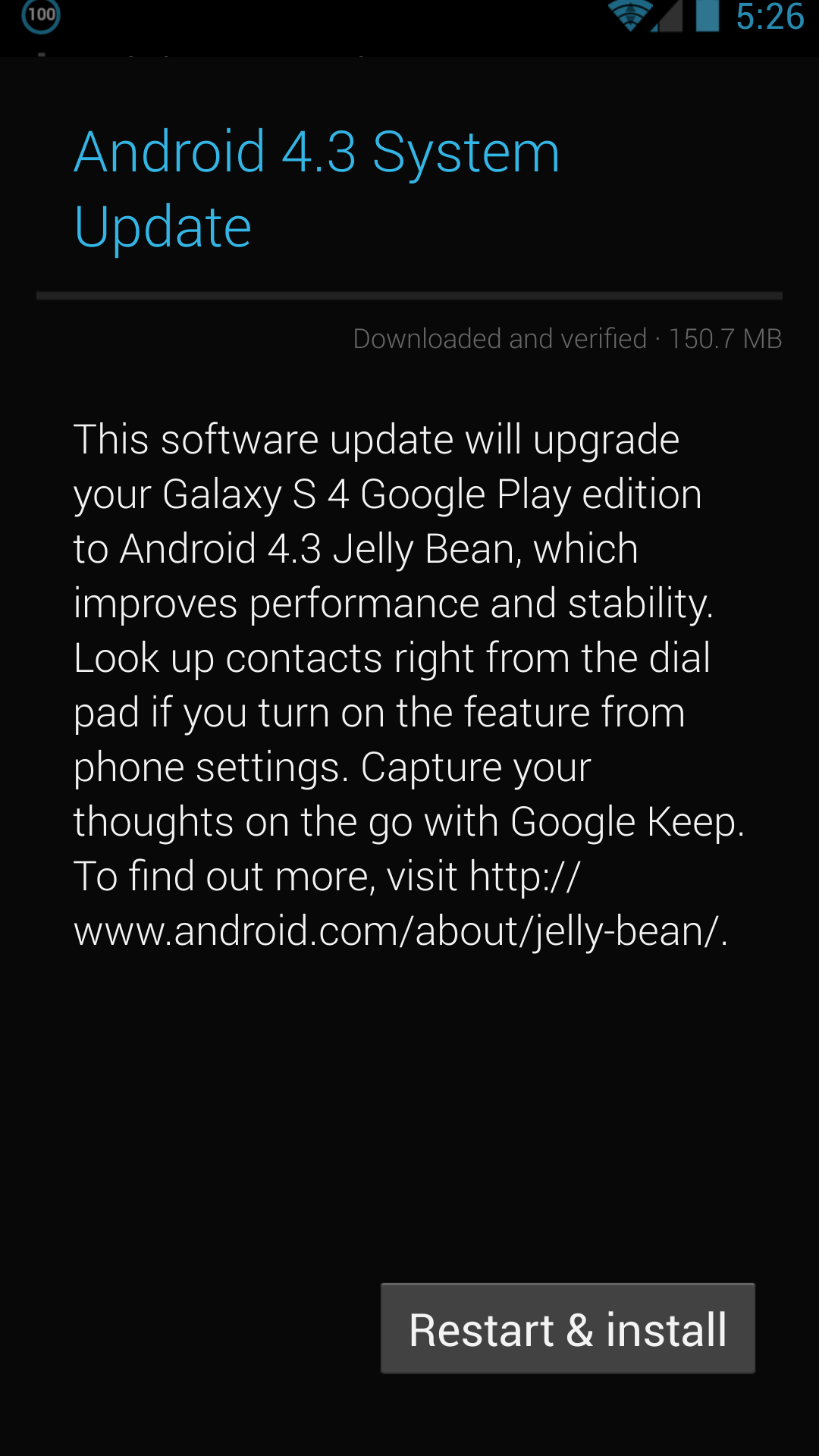
It's been a busy week in the Android space, and this evening Google appears to have hit the button on the Android 4.3 (Jelly Bean MR2) update for the HTC One and Samsung Galaxy S4 Google Play edition phones. I just got the 4.3 OTA notification on both of my Google-suppled GPe phones. The update is around 150 MB for the SGS4 and 180 MB for the HTC One, and comes as build JWR66V. This comes immediately after both HTC and Samsung released their Android 4.3 kernel sources online. Seems as though Google made good on its promise for speedy updates to the Google Play edition phones, as this comes about a week after the official Nexus program 4.3 OTA started. I'll be digging around inside to see if anything major sticks out beyond what's expected from 4.3.


Left: HTC One, Right: SGS4

For more on what's new in Android 4.3, check out my previous post or the official Android platform highlights post for 4.3.

 
Left: HTC One 4.3, Right: HTC One 4.2

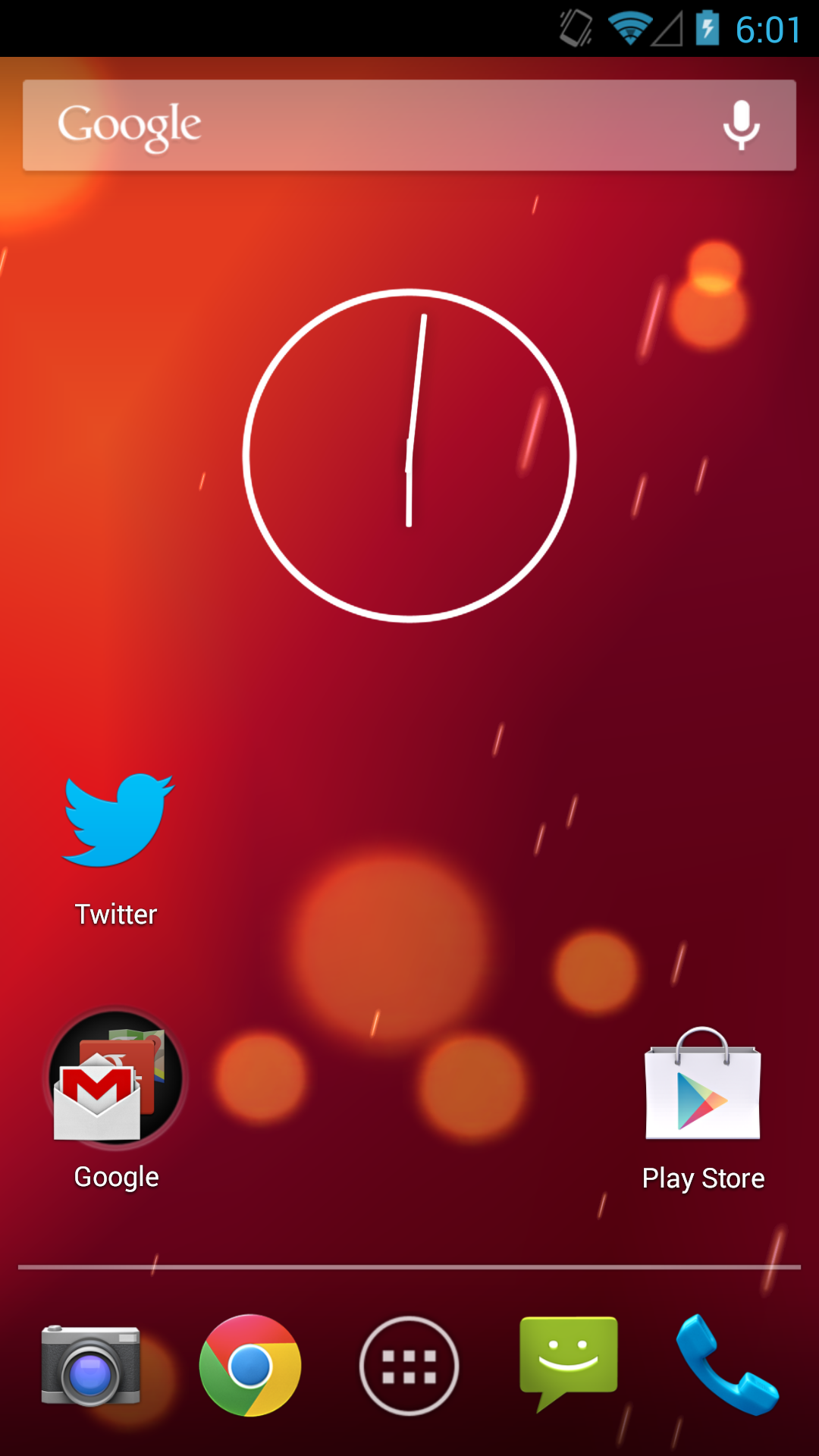
Update: Major changes seem to be increased icon sizes on the widget panels as shown above on both HTC One and SGS4, and working IR on the HTC One, thanks @nkj. Bluetooth tethering has also been added to the SGS4 GPe, meaning I can finally use that device with Google Glass and my Parrot Asteroid Smart head unit, which both require Bluetooth internet tethering to work. The solid black background on the SGS4 GPe in settings and other places has also been replaced with the stock Android 4.x gradient.

 
Left: Bluetooth Tethering added on SGS4 GPe 4.3, Right: Gradient behind elements instead of solid black

Friday, August 2, 2013

Today’s Android App: Weather Waterfalls..!

aQInP

CLICK HERE TO DOWNLOAD


Actual weather as LIVE WALLPAPER in amazing waterfalls HD themes!True Weather is a Live Wallpaper for your Android phone or tablet!
True Weather animate actual weather, year seasons and day/night situation for your location or city in full HD.
Features:

  • Real weather situation.
  • Four year seasons animations (spring, summer, autumn, winter). Year season is automatically selected depend on your location and date.
  • 5 waterfalls themes.
  • Real sunrise/sunset times.
  • Real moon phases.
  • 3 or 10 days forecast animations (double tap wallpaper to start forecast).
  • 2 weather providers
  • Feels like temperature.
  • Wind speed and direction
  • Humidity
  • Quick access to 2nd city(triple tap wallpaper), you can see weather, year and day situation in your favorite city including forecasts
  • Lots of settings
  • Rain, Snow depends on wind speed, etc...
  • Optimize for CPU and Battery usage
  • Portrait & Landscape mode
  • Phone and Tablet compatible
  • 17 weather data languages (English, Italian, Russian, Spanish, French, German, Dutch, Norwegian, Czech, Arabic, Thai, Turkish, Polish, Hungarian, Finnish, Slovak, Hindi, Japanese, Romanian)

Tip: How to set TrueWeather, Waterfalls wallpaper?

  • Press HOME button
  • Press MENU button
  • Tap on Wallpaper -> Live wallpapers
  • TrueWeather, Waterfalls -> wait a few seconds!
  • Set wallpaper

Tip: How to change wallpaper theme (background)?

  • Go to TrueWeather wallpaper settings (HOME->MENU->Wallpaper->Live Wallpapers->TrueWeather, Waterfalls->Settings...)
  • Scroll to Year seasons theme
  • Select year season theme (Spring, Summer, Autumn, Winter or Bonus)
  • Scroll to and press "Save" button
  • Press Home button and wait a few seconds

screen shots

unnamed (6) unnamed (5) unnamed (4) unnamed (3) unnamed (2) unnamed (1)


The Magic of Believing.. Audio Book

CLICK HERE TO DOWNLOAD

Millions of success-oriented people fom all over the world have turned to the no-nonsense, time-tested motivational techniques described in The Magic of Believing to achieve all their long and short-term goals: a better job, a happier marriage, or simply a good night's sleep. Now it's your turn to put Claude M. Bristol's special "magic" into your life and into action. Bristol's tough-minded, hard-hitting messages speaks directly to you. You will learn:
How you become what you contemplate
Why hard work alone will not bring success
How to turn your thoughts into achievements
How belief makes things happen: Harness the unlimited energies of your subconscious mind. Make yourself more competent in your affairs, more influential in your dealings, and more successful in life.
Now it's your turn to put Claude M. Bristol's special "magic" into your life and into action! His tough-minded, hard-hitting message speaks directly to You. It has yielded proven results for forty years and remains as fresh and focused as ever. Learn how to:
Harness the unlimited power of the subconscious mind and make your dreams come true
Protect your thoughts and turn them into achievements
Use "the law of suggestion" to step up your effectiveness in everything you do
Apply the power of your imagination to overcome obstacles
And much more! If you seek to become more assertive in business, more fulfilled at home, more influential in your dealings with others - you can believe in MAGIC!

Related Posts Plugin for WordPress, Blogger...

bug