Showing posts with label Android Apps. Show all posts

Thursday, August 22, 2013

Tom Tom Navigation app for India in Google Apps..!

TomTom Navigation app for India can be downloaded from Google Play. Available exclusively to Android smartphone users in the country, this application is specially designed to cater to the needs of drivers offering the latest of on-board maps and quickest of IQ routes at the touch of a button

TomTom Navigation App for Android arrives in India

These maps are stored offline meaning drivers do not have to fear losing a network connecting midway through a journey. The app offers landmark navigation and free quarterly map updates which means that these are always on hand when desired by drivers. Being introduced for the first time to millions of Android smartphone users in the country, the company TomTom India is hopeful of extending the service to a host of devices and platforms in the future.

Available for Android from Google Play store at INR 2,050 the Navigation system comes with or without network connection offering fast offline loading and routing. These high resolution maps enable the driver to reach their destination in the most convenient and in the shortest time possible while allowing drivers to keep their eyes on the road and only listen to verbal instructions that include street names and indications of turnings along the route.

Saturday, August 3, 2013

Top 5 Android app to make iphone Users Jealous…!

Temple Run, Instagram, Flipboard, Vine, Angry Birds...sometimes it seems like all the great apps start on iOS before making their way to Android. But not all apps start their life inside of Apple’s walled garden—some have launched on Android first and have yet to make their way to iOS. While iPhone users are often first to experience the latest games, Android users get apps that fully automate their phones and predict what they want to type next.

Here are five apps that Android users can brag about to their iPhone-toting friends.

Tasker ($3)

Tasker (Click to view full image)

Tasker helps make your smartphone actually feel smart. The app lets you create profiles that automatically execute certain tasks when specific criteria are met. For instance, you can have your phone automatically launch the music app when you plug in headphones, or have your phone silence itself when you get to the office. There’s really no limit to the types of profiles you can create, and there are entire websitesdedicated to Tasker profiles if you’re not up to the task of creating one yourself.

The app does have a bit of a learning curve, though, so I’d recommend going throughthe tutorial or looking one up online to get down the basics. There’s a lot of trial and error involved when building your first Tasker profile, but there’s an unmatched feeling of joy when all your hard work finally pays off.

Sure the idea of automating your phone sounds nerdy, but it’s unequivocally cool to have your phone automatically respond to text messages while you sleep.


Astro File Manager (Free)

Astro File Manager (click to view full image)

If you’ve ever created a file on your iPhone or iPad, you know what a huge pain it can be to move it off of the device. You have to either plug it into iTunes to retrieve it or hope that you have an app installed that works with the app you used to create the file in the first place. It’s way more convoluted than it should be.

While I’m not saying Android is any better when it comes to creating documents, it certainly is better at managing them. Astro File Manager gives you access to all of the data stored on your phone. The app lets you move folders and files around your phone’s internal memory and SD card, and you can also connect to your Box, Dropbox, and Google Drive accounts to move your files between your phone and the Internet (aka the cloud).

The app even has a memory manager so you can see which apps are taking up the most space on your phone so you can address them accordingly. You can also use Astro File Manager to back up your apps (and their data) to your MicroSD card—handy in case you need to reset your device or switch to a new one.


AirDroid (Free)

AirDroid (click to view full image)

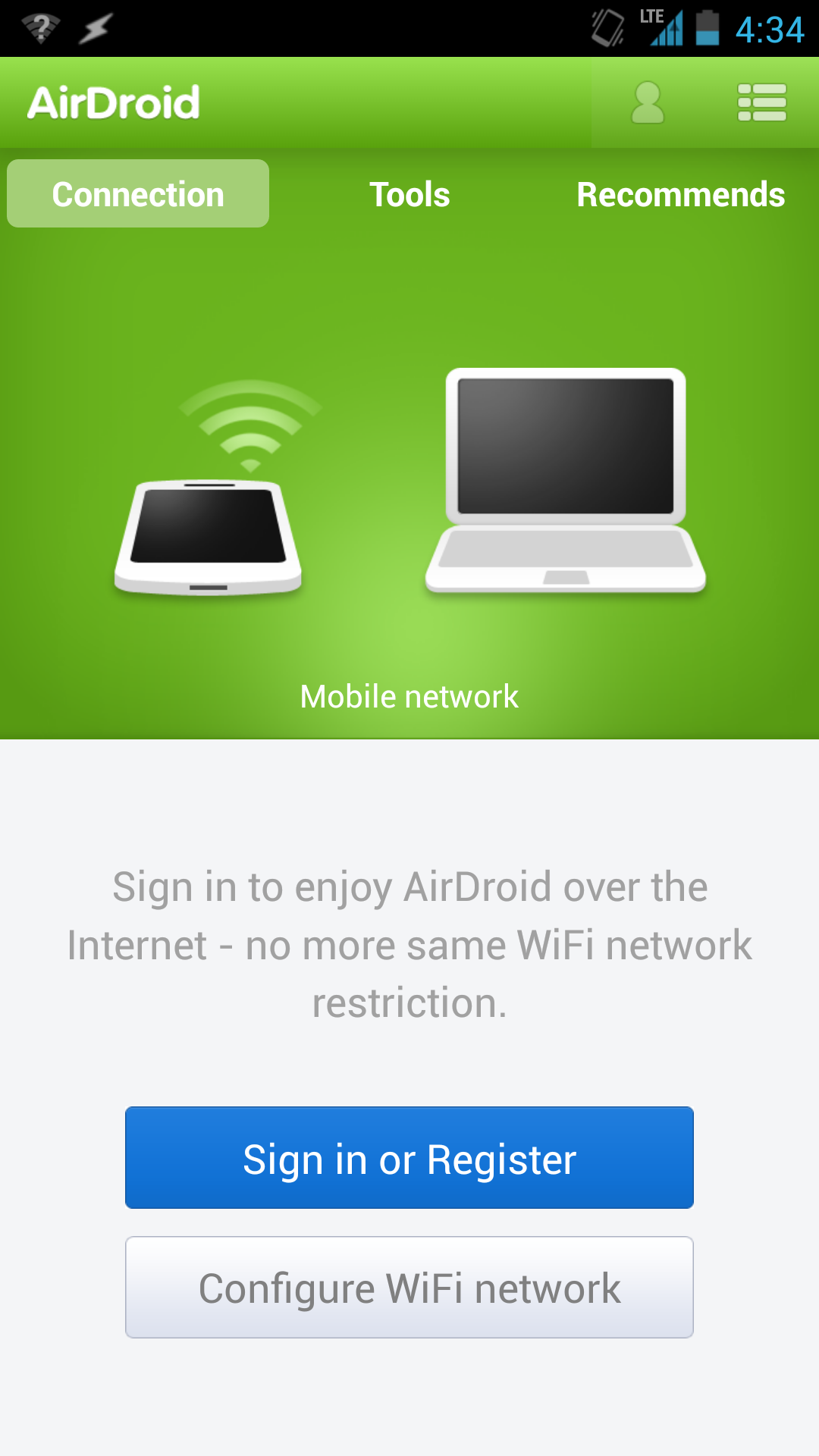
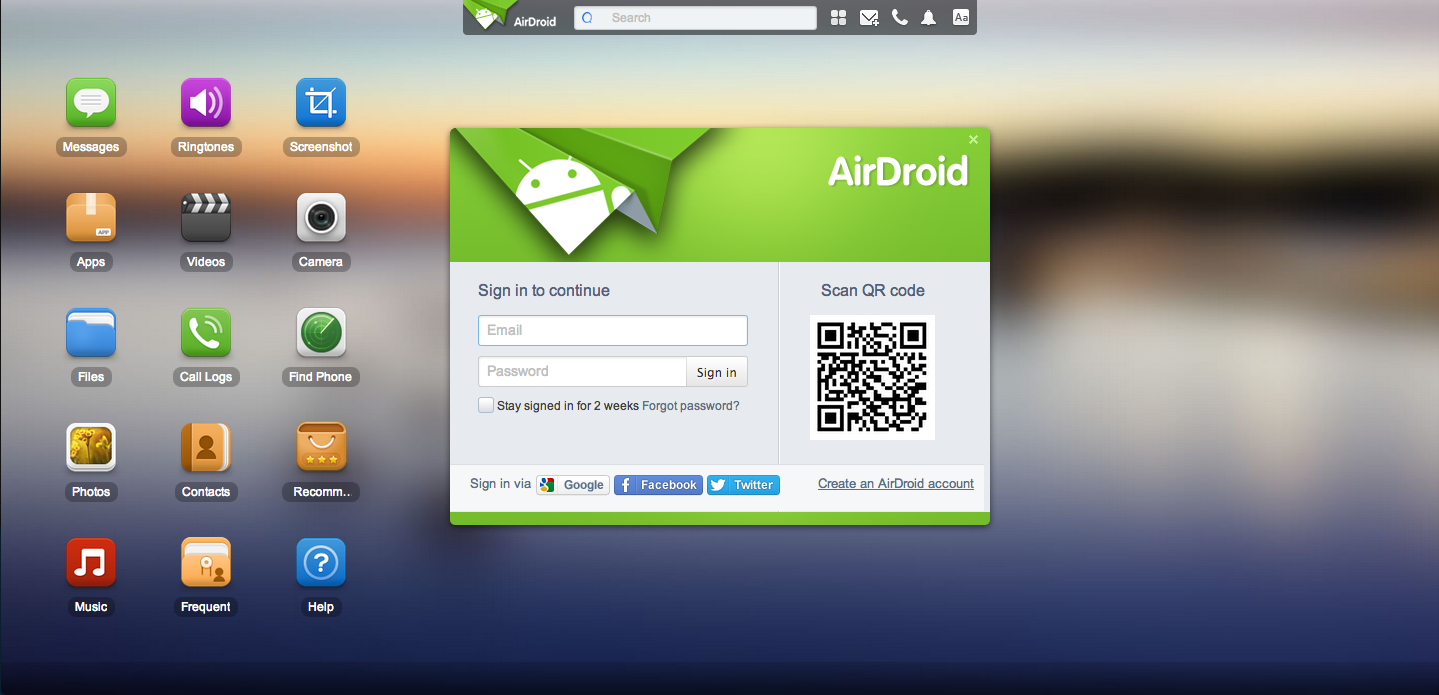
With AirDroid, you don’t even need to touch your phone in order to use it. The app lets you access your phone remotely by going to web.airdroid.com and scanning the QR code on the page. The free version of the service lets you do things like reply to text messages, organize your photos, and play music, while the paid version lets you remotely access your camera and helps you locate a missing or stolen device.

AirDroid web view.

If you’re not one to carry a Micro-USB cable everywhere you go, AirDroid also lets you transfer content to and from your phone without ever having to plug it into your computer. (Just make sure you’re on Wi-Fi if you’re planning on moving over gigabytes of data.)

So why exactly would you want to access your phone on your computer? Aside from all the benefits I listed above, the number one reason to do it would be because you left your phone out of arm’s reach and are too lazy to get up to answer a text message. And there’s nothing wrong with that.


SwiftKey ($4)

SwiftKey (click to view full image)

Say farewell to typos. SwiftKey is a third party keyboard app that adapts to the way you write by learning which words and phrases you use most often, allowing for a better typing experience because your phone isn’t constantly autocorrecting “Yo” into “to”. After a while, you get to the point where you can mash your thumbs randomly on screen and have SwiftKey predict exactly what you wanted to say, punctuation and all. Neat.

For those of us out there that find typing passé, SwiftKey has a feature called Flow that lets you glide your fingers over keys to form words and sentences (kind of likeSwype). SwiftKey also supports multiple languages simultaneously, so you don’t have to go into the settings every time you want to switch the keyboard language from English to French, and the app comes with several themes to change how the keyboard appears on screen.


Nova Launcher ($4)


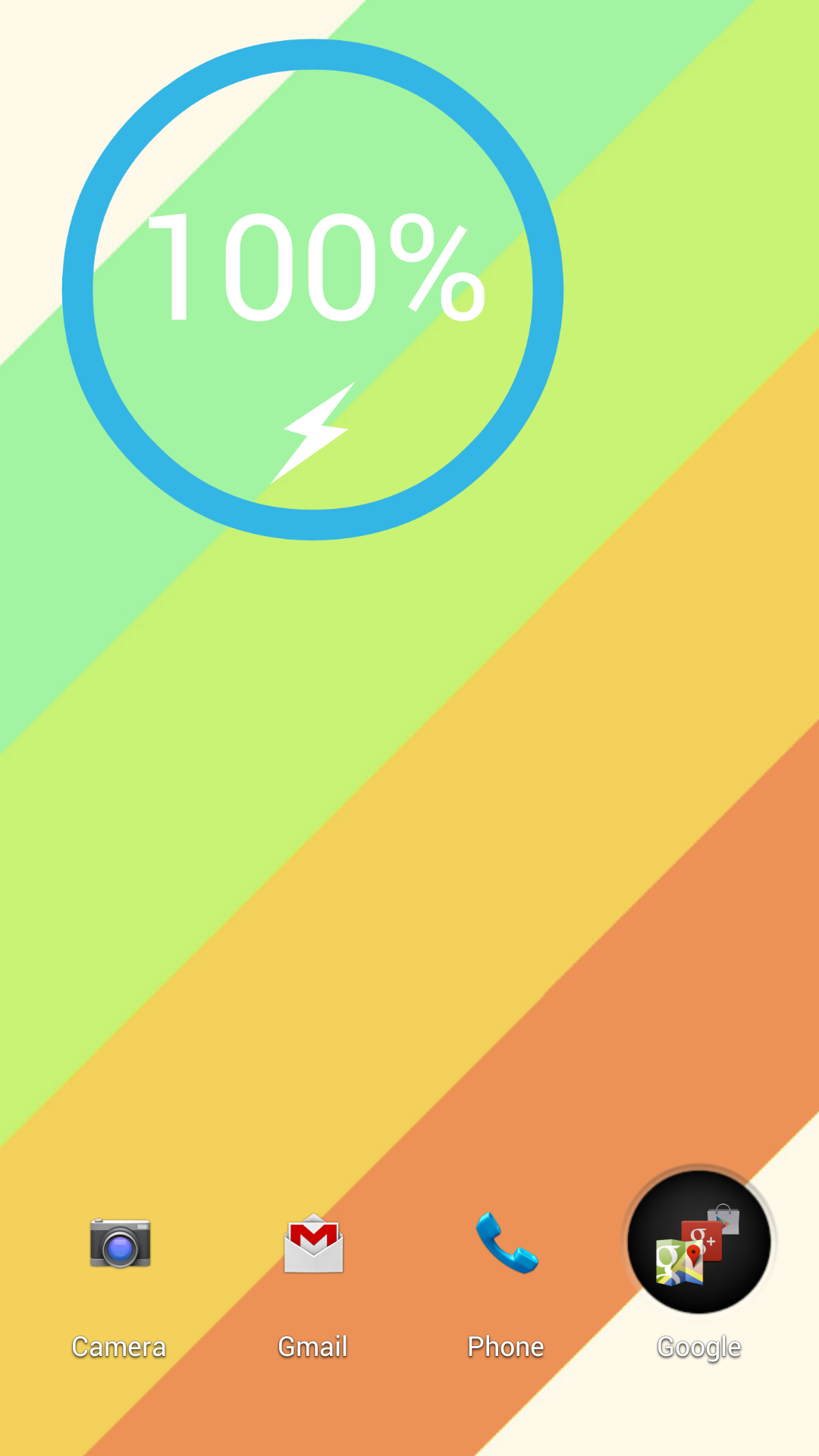
A home screen customized with Nova Launcher.

Shouldn’t your phone look the way you want it to? With Nova Launcher, you can customize your Android home screen to give it a unique look that’ll be the envy of everyone on your block. The app makes it easy to change your app icons, app drawer, and home-screen animations to something more in line with your artistic vision, and there are plenty of premade themes available on the Play Store (if you’re feeling lazy).

There are also websites and forumswhere people post their Android home-screen designs and tell you how you can achieve the same look—handy if you’re looking for some inspiration. On my home screen that you can see here, I hid the dock and the notification bar to give my phone a super minimalistic aesthetic. Try doing that on an iPhone.

Google Releases Android 4.3..!

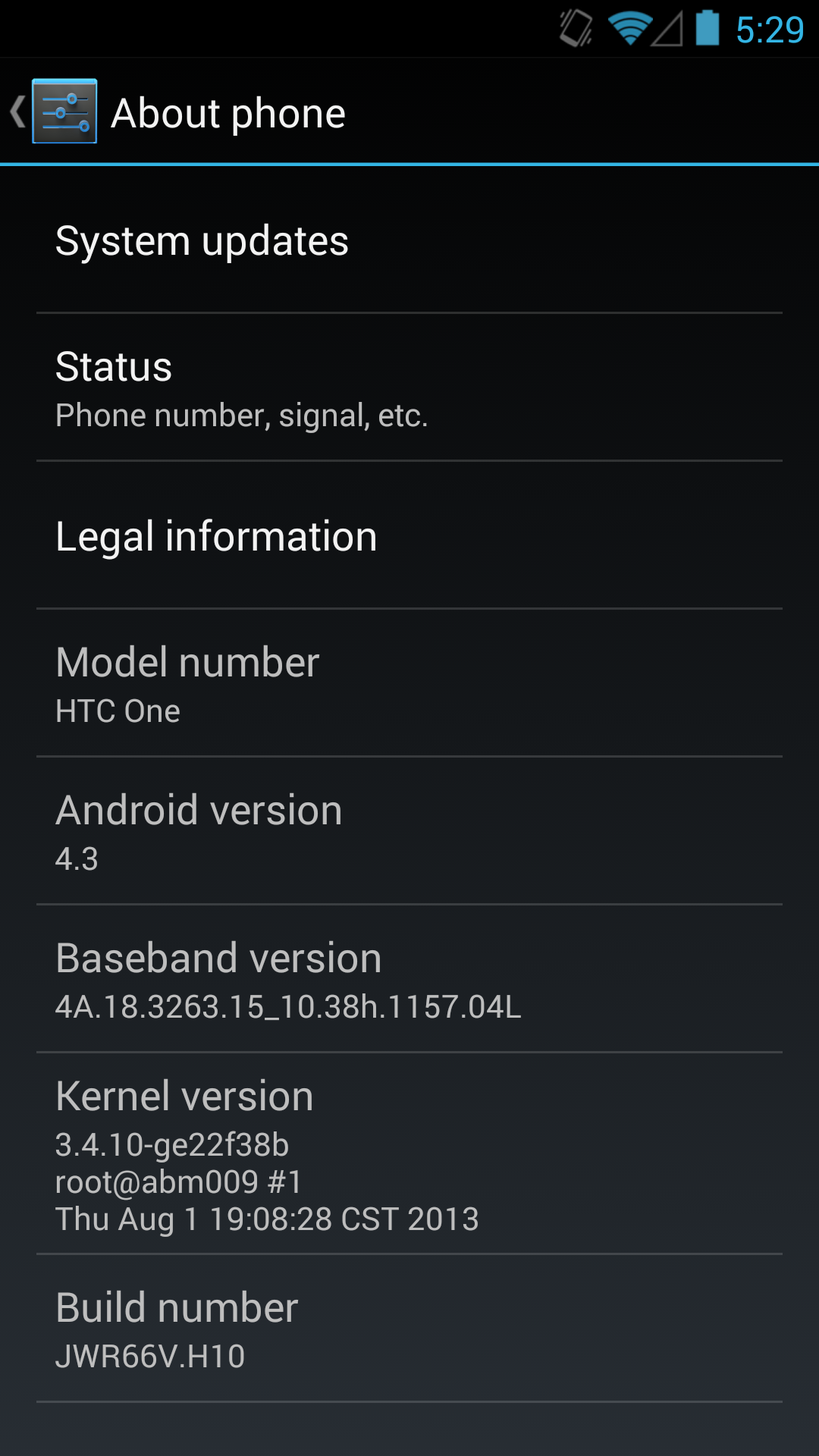
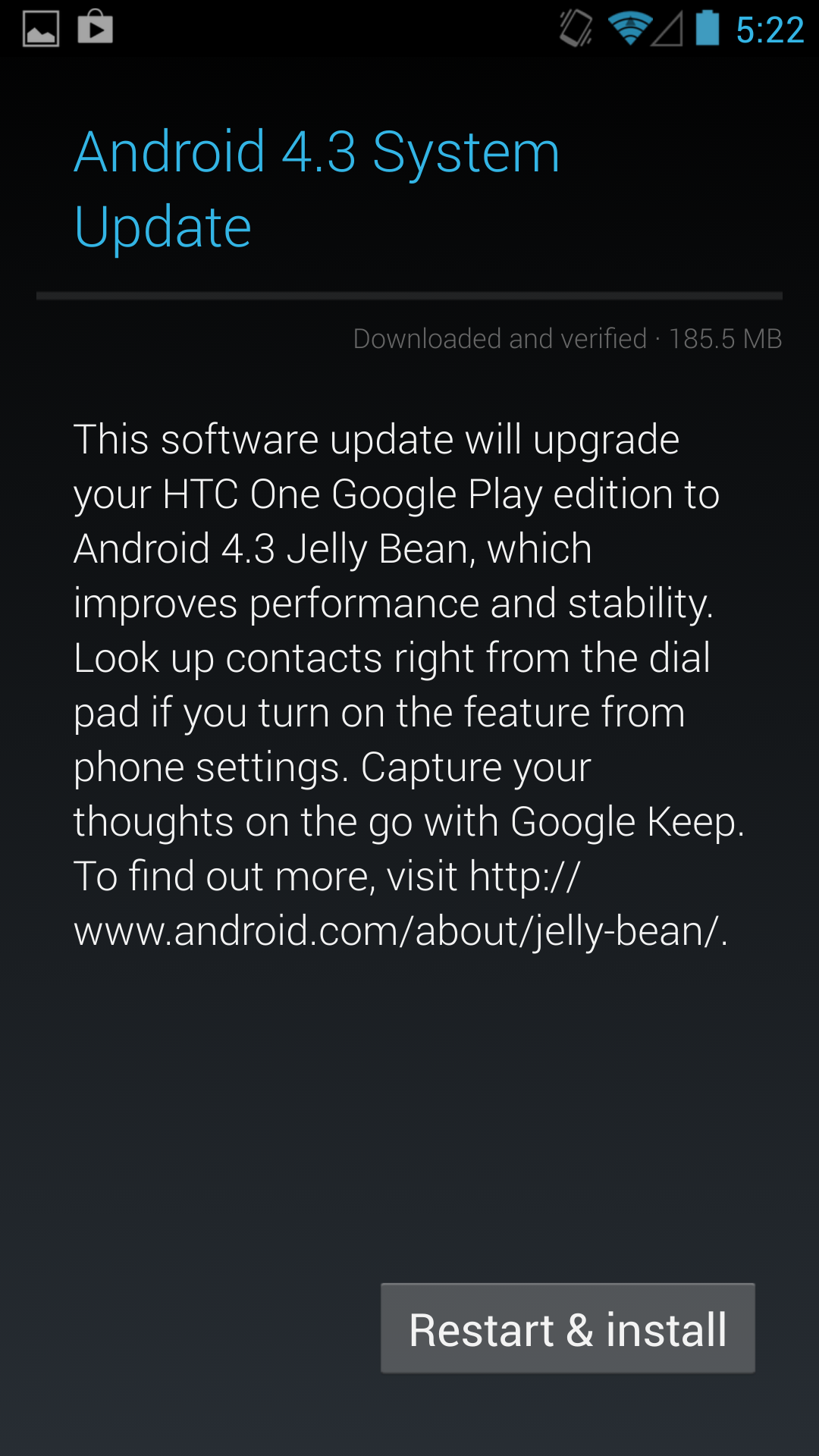
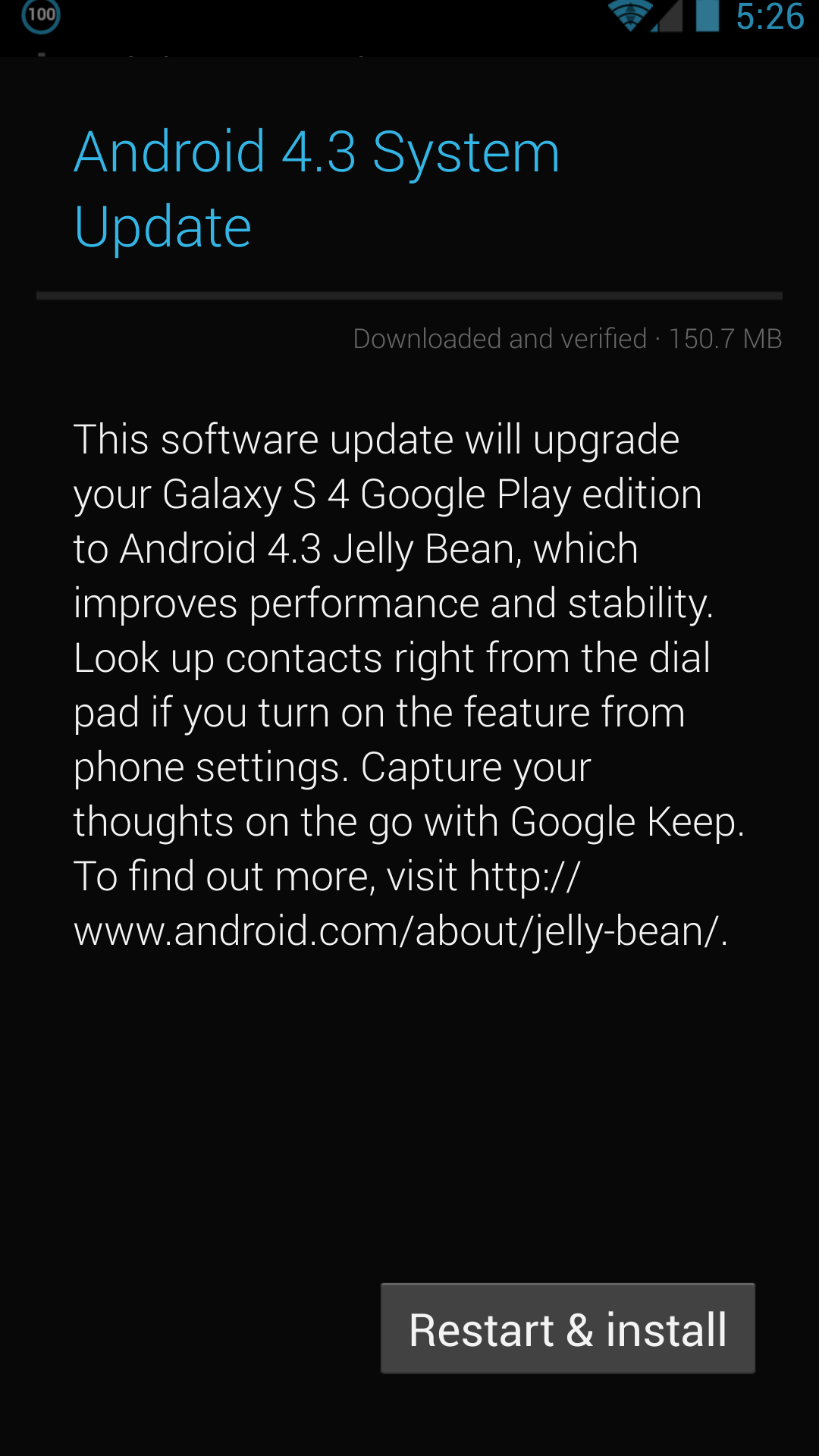
It's been a busy week in the Android space, and this evening Google appears to have hit the button on the Android 4.3 (Jelly Bean MR2) update for the HTC One and Samsung Galaxy S4 Google Play edition phones. I just got the 4.3 OTA notification on both of my Google-suppled GPe phones. The update is around 150 MB for the SGS4 and 180 MB for the HTC One, and comes as build JWR66V. This comes immediately after both HTC and Samsung released their Android 4.3 kernel sources online. Seems as though Google made good on its promise for speedy updates to the Google Play edition phones, as this comes about a week after the official Nexus program 4.3 OTA started. I'll be digging around inside to see if anything major sticks out beyond what's expected from 4.3.


Left: HTC One, Right: SGS4

For more on what's new in Android 4.3, check out my previous post or the official Android platform highlights post for 4.3.

 
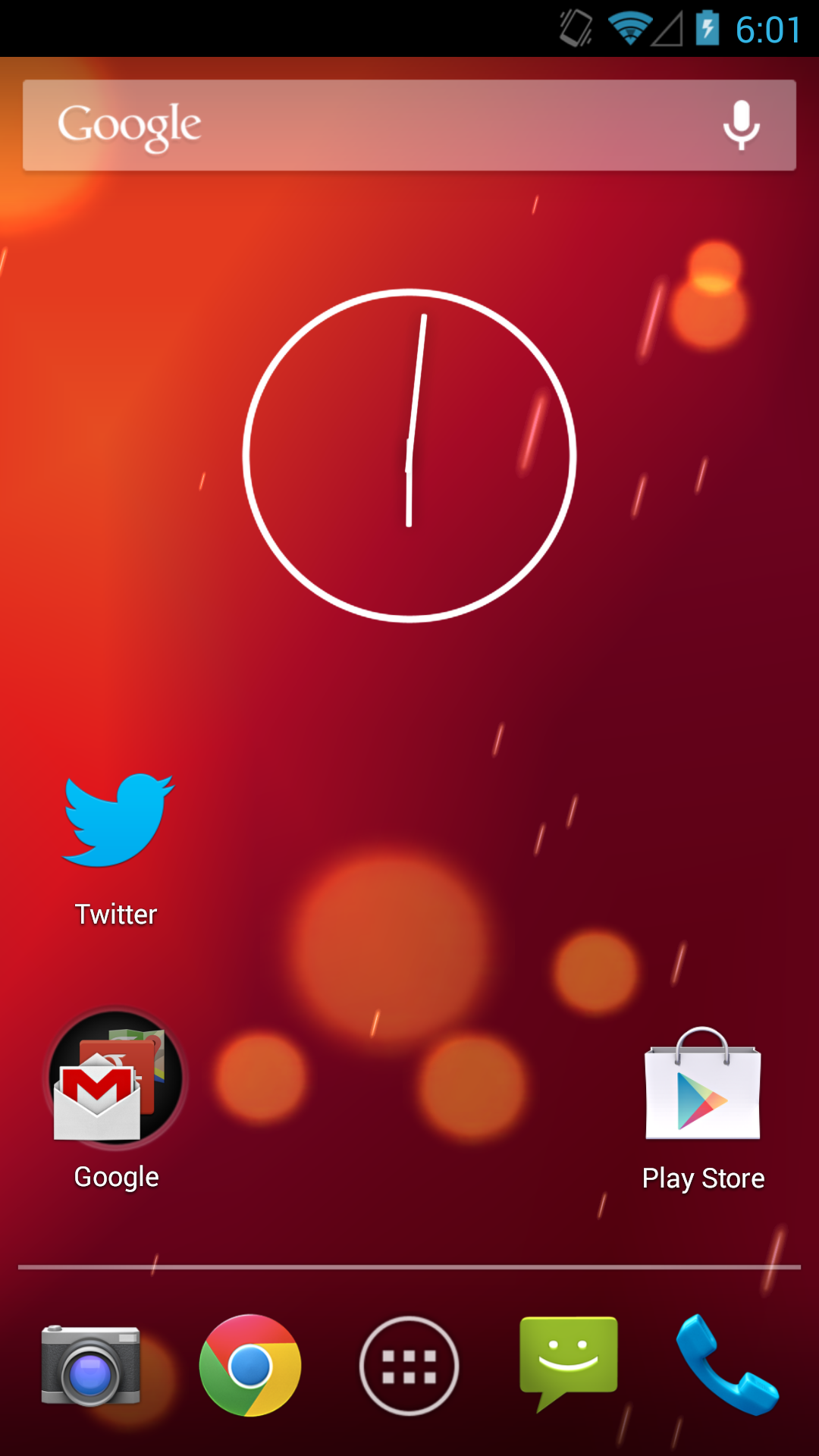
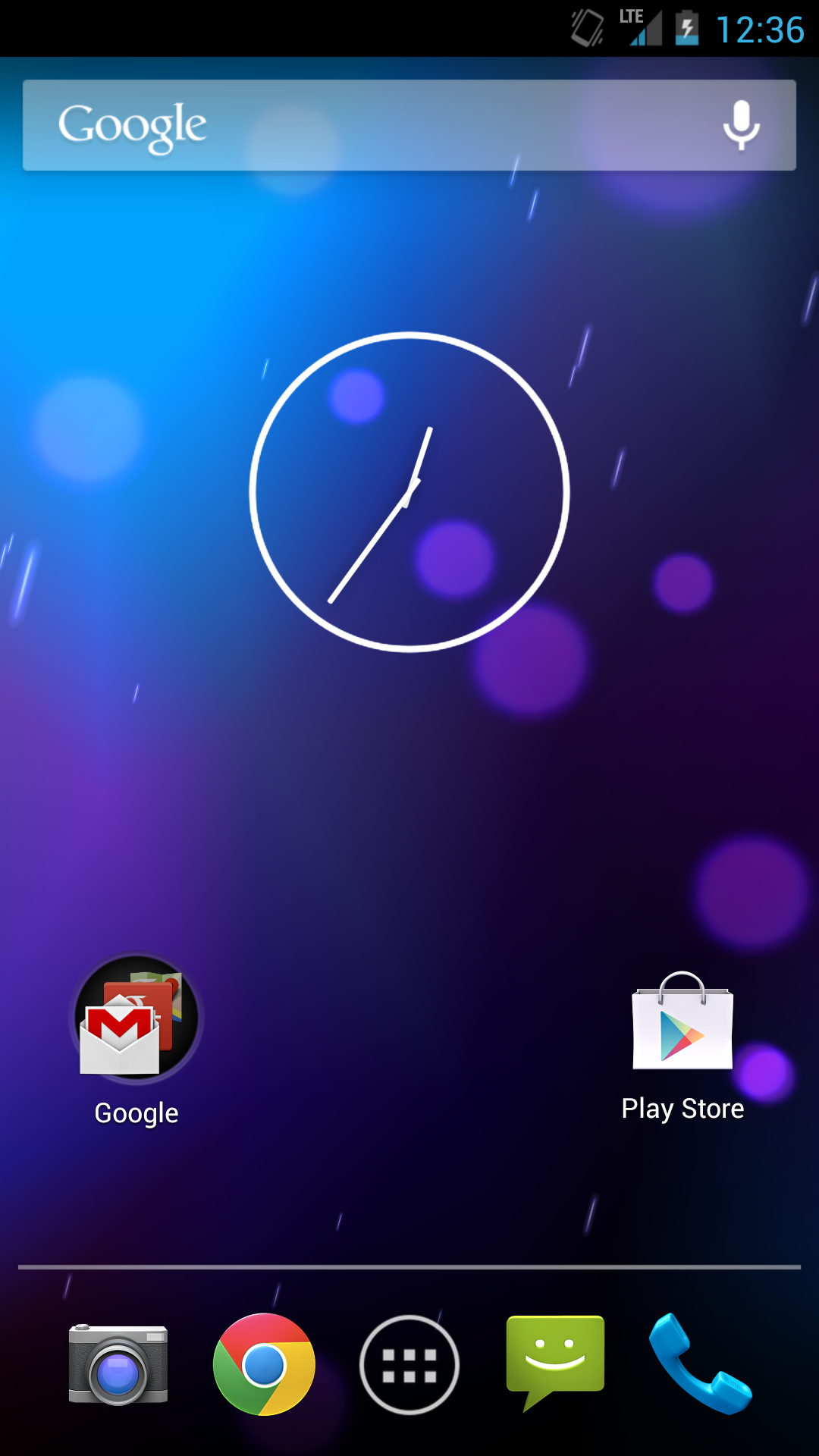
Left: HTC One 4.3, Right: HTC One 4.2

Update: Major changes seem to be increased icon sizes on the widget panels as shown above on both HTC One and SGS4, and working IR on the HTC One, thanks @nkj. Bluetooth tethering has also been added to the SGS4 GPe, meaning I can finally use that device with Google Glass and my Parrot Asteroid Smart head unit, which both require Bluetooth internet tethering to work. The solid black background on the SGS4 GPe in settings and other places has also been replaced with the stock Android 4.x gradient.

 
Left: Bluetooth Tethering added on SGS4 GPe 4.3, Right: Gradient behind elements instead of solid black

Friday, August 2, 2013

Today’s Android App: Weather Waterfalls..!

aQInP

CLICK HERE TO DOWNLOAD


Actual weather as LIVE WALLPAPER in amazing waterfalls HD themes!True Weather is a Live Wallpaper for your Android phone or tablet!
True Weather animate actual weather, year seasons and day/night situation for your location or city in full HD.
Features:

  • Real weather situation.
  • Four year seasons animations (spring, summer, autumn, winter). Year season is automatically selected depend on your location and date.
  • 5 waterfalls themes.
  • Real sunrise/sunset times.
  • Real moon phases.
  • 3 or 10 days forecast animations (double tap wallpaper to start forecast).
  • 2 weather providers
  • Feels like temperature.
  • Wind speed and direction
  • Humidity
  • Quick access to 2nd city(triple tap wallpaper), you can see weather, year and day situation in your favorite city including forecasts
  • Lots of settings
  • Rain, Snow depends on wind speed, etc...
  • Optimize for CPU and Battery usage
  • Portrait & Landscape mode
  • Phone and Tablet compatible
  • 17 weather data languages (English, Italian, Russian, Spanish, French, German, Dutch, Norwegian, Czech, Arabic, Thai, Turkish, Polish, Hungarian, Finnish, Slovak, Hindi, Japanese, Romanian)

Tip: How to set TrueWeather, Waterfalls wallpaper?

  • Press HOME button
  • Press MENU button
  • Tap on Wallpaper -> Live wallpapers
  • TrueWeather, Waterfalls -> wait a few seconds!
  • Set wallpaper

Tip: How to change wallpaper theme (background)?

  • Go to TrueWeather wallpaper settings (HOME->MENU->Wallpaper->Live Wallpapers->TrueWeather, Waterfalls->Settings...)
  • Scroll to Year seasons theme
  • Select year season theme (Spring, Summer, Autumn, Winter or Bonus)
  • Scroll to and press "Save" button
  • Press Home button and wait a few seconds

screen shots

unnamed (6) unnamed (5) unnamed (4) unnamed (3) unnamed (2) unnamed (1)


Today’s Anroid APP: Next Launcher 3D ..!

dCVE4sEg

CLICK HERE TO DOWNLOAD

Next Launcher 3D play.google.com.nextlauncher
Next Launcher is a new launcher application which is full of glorious 3D elements and dynamic effects. Fancy 3D visual elements, gorgeous transition effects and humanized gestures bring you a unique and splendid operation experience and visual enjoyment.

Features:

  • Various operation for icons: icons support rotation, reset, select, align and so on. Operation is easy and fantastic.
  • Unlimited screen layout: placing icons or widgets randomly which forms your own home screen.
  • Stereoscopic screen preview: lots of screen display effects, dazzling animation of screen switching about adding or deleting screen.
  • Quick screen management: adding different kinds of elements in screen edit including application icons, folders and widgets. It’ll support changing wallpapers and themes soon.
  • Rotatable dock: inverting upward or downward the Dock can quickly switch among home screen, screen edit and screen preview.
  • Powerful app drawer: icons can be arranged by names or by time, and folders can be created by overlaying icons. Batch mode and operation of adding apps to screen are also available. 
  • Beautiful scrolling effects: a variety of app drawer scrolling effects that provide a distinctive screen switching experience.
  • Fancy 3D widgets: 3D widgets that are based on Next Launcher are coming soon!

Tips:

  • Please make sure your device has installed Google Play.
  • Phone performance:Android 2.3.3 and up; Dual-core models is better.
  • Suggestion:Watch the video of Next Launcher first, to know about the cool operation of the product.
  • Notice: We suggest users which use Galaxy Nexus don't remove the Menu icon.

SCREEN SHOTS

                    IdTiC4p LEQloar y7EisK7

Thursday, August 1, 2013

Todays Android App. 01082013


ZFSl3jy

CLICK HERE TO DOWNLOAD

NotifierPro Plus play.google.com.notificationtoaster
With NotifierPro ( Notifier Pro ) you can greatly improve the way your device displays notifications.
This app provides banner notifications for any app installed on your phone.
Support :* If you have any question or suggestion, please use our feedback page here :
https://getsatisfaction.com/productigeeky.
The service:

  • To work properly, NotifierPro requires that you activate the accessibility service "NotifierPro" (accessibility services are currently the only way to process user notifications on the Android OS).
  • You then have to use the "Monitoring" section to choose which apps should raise notifications, and how.
  • Status bar notifications must be enabled in the monitored apps for the banners to appear properly.

How to use it:

  • Click the notification to launch it
  • Swipe to the right to dismiss it
  • Swipe to the left to dismiss notifications coming from the same app/contact

Monday, July 22, 2013

LUX AUTO BRIGHTNESS FOR ANDROID OS

CLICK HERE TO  DOWNLOAD NOW

Lux Auto Brightness play.google.com.vito.lux
Lux isn't your ordinary brightness app. It intelligently adjusts the brightness of your display based on the environment you're in. If, for example, you step into a dimly lit room, Lux will automatically lower the brightness of your display to make it not only comfortable to read, but to also preserve battery power.
Lux provides the option to automatically adjust the backlight at fixed intervals (periodic mode), when a change in environment is detected (dynamic mode), or when the phone wakes from sleep. It's also possible to adjust the backlight manually. Simply disable automatic mode and you can use it like a traditional brightness tool!
Perhaps the best thing about Lux is that you can teach it how to behave. If the backlight is too bright or dim for your liking, simply open the provided Dashboard, adjust the brightness slider to the level you desire, then hold the link button. Lux will use this new 'link' as a reference in future.
Give it a go! I want you to test Lux for more than the 15 minute refund period offered by Google. I understand that some devices may not have the best quality light sensor, and that you may need more time to play around with settings. If you find that Lux doesn't suit you after the 15 minutes is up, you can request a refund at any time via e-mail - no questions asked.
DO NOT request features, report bugs, or ask for assistance in your review. I can't reply to them! Please e-mail me instead.
Features:

  • Custom auto brightness.
  • Sub-zero brightness to make reading in the dark significantly less irritating.
  • Battery efficient
  • Handy brightness widget
  • Option to use the camera to read in ambient light.
  • Power-user settings such as choice of interpolation, sensor debugging, and linked sample editing.
  • Backup to SD.
  • Customisable data filtering for phones with inaccurate light sensors.
  • Gradual fade effect for backlight adjustments.
  • Astronomer mode adds a red filter to the screen to preserve the eyesight of stargazers.
  • Jitter control to prevent constant small changes to the backlight.
  • Night mode, to change the colour temperature of the display for comfortable night time viewing.
  • Add app specific exceptions via compatibility mode
  • No ads, or other nuisances.
  • [new] Tasker and Locale support!

What's in this version : (Updated : Jul 22, 2013)

  • Profiles. Have different behaviour for day and night!
  • Root plug-ins. Custom kernel with RGB control? Make a plug-in to utilise it!
  • Improved notification
  • Low pass filter
  • Cubic interpolation
  • Polish/French/Russian/German/Italian translation
  • Manual sunrise location input
  • Control Dashboard slider with vol. keys
  • Fade duration/step
  • Reduced battery usage
  • Fixes
  • More soon!

Required Android O/S : 2.1+


Sunday, July 7, 2013

Tips and Tricks for Mastering Android’s Keyboard

android-keyboard

If all you do with your Android phone or tablet’s keyboard is tap out words, you are missing a lot of great features. There’s more to learn about a keyboard than you might expect.

Of course, you can just type out words without paying attention to any of these features — but mastering them will help you type faster and save time while entering text.

Voice Typing

If your hands aren’t free — or you just feel like dictating — you can tap the microphone button on the keyboard and enter words just by speaking them.

This feature sends your voice input to Google’s speech recognition service, where it’s examined, converted to text, and sent back to your phone. This means that it requires an Internet connection, but the approach of using Google’s massive computing power makes it surprisingly accurate.

To enter punctuation marks while using voice recognition, just say “period,” “comma,” “question mark,” “exclamation mark,” or “exclamation point.” Android will enter the appropriate punctuation mark instead of the words.

Offline Voice Typing

If you’re using Android 4.2 or a newer version of Android, you can now use voice typing offline. You’ll just need to install the appropriate voice-recognition language dictionaries. Note that voice recognition is slightly less accurate in offline mode.

To install the dictionaries, open the Settings screen, tap Language & input, and tap the settings button to the right of Google voice typing.

Download the languages you want to use offline from the Offline Speech Recognition screen.

Swipe to Type

The default keyboard in Android 4.2 gained the ability to type words simply by swiping your finger over them.

To type a word by swiping, simply touch the first letter and glide your finger over the letters — for example, to type Geek, touch the G, move your finger to the E, and then move your finger to the K. Android will try to guess what you’re typing, displaying it above the keyboard. Lift your finger and the word will be typed. You can do this to type many words in sequence quickly, lifting your finger from the screen in between each one.

Word Prediction and Auto-correction

When tapping in a word, Android 4.2′s keyboard will try to think ahead and guess the word you’re about to type. For example, type Messa and  “Message” will appear above the keyboard. You can then tap the space bar to move to the next word and Android will automatically fill in the rest of the word it’s expecting you to type.

The keyboard will even use context to guess which word you’re likely to type, even if you haven’t started typing a word yet. Tap one of the suggestions to type it.

Keyboard Settings

You can customize your keyboard’s behavior, too. Open the Settings screen, tap Language & input, and tap the settings button to the right of the Android keyboard.

The keyboard settings screen contains options for disabling features like swiping, auto-correction, auto-capitalization, and next-word suggestions. You can also make auto-correction even more aggressive or switch to other keyboard layouts, like the French QWERTZ layout.

Third-Party Keyboard Replacements

Android’s included keyboard is just one of many options — in fact, your phone’s manufacturer may have already included third-party keyboards like Swype for you to use. You can install other third-party keyboards from Google Play and switch between them. For example, many people consider SwiftKey to have the best auto-correction features, while Swype is the original swipe-over-letters-to-type-them keyboard.

Such experimental features are usually found on Android first — you can find a wide variety of different keyboards, all with their own ideas of how to make text input faster and more efficient.


Android’s keyboard isn’t just a keyboard — it’s a piece of software with its own unique tricks, but also one that can be swapped out and replaced for another keyboard that you might like better. If you want a different keyboard on your iPhone or iPad, you’ll have to jailbreak it.

Saturday, July 6, 2013

Downoad Youtube VIds thru Tube Mate in Android Mobiles.

tubemateCLICK HERE TO DOWLOAD

Tubemate Apk is one of the popular android app nowadays. Many android users looking for this app in Search Engine. This time I want to share the latest Tubemate apk for android that brings new features and improvement, that is Tubemate 1.05.48.309. You can download it for free from the link that I provided in the last article.

[TubeMate - The fastest and most famous YouTube downloader]

* Fast download mode(with multiple connections for a download)
* Multiple download resolution options
* Background, multi-download
* Resume downloading
* Convert to MP3 (powered by MP3 Media Converter)
* Playlist as video/audio(powered by Meridian Player)
* Share your video finds via Google Buzz, Twitter or e-mail at the tap of a button
* YouTube search and related videos suggestions
* Save favorite videos to your YouTube account, create playlists

TubeMate YouTube Downloader enables you to quickly access, search, share, and download YouTube videos. Because downloading always happens in the background, you can go on watching YouTube, surfing the Internet, tweeting, and listening to your music as you download.

[Available resolutions]
1920×1080(Full-HD): GalaxyTab, Galaxy S2, PC
1280×720(HD): high-end devices
640×360: general devices
320×240: low-end devices
640×360, 854×480(FLV) : Android 2.1 and over
(the available options depend on the quality of the uploaded video and your device)

Tuesday, July 2, 2013

App cache Cleaner APK full android Application

App Cache Cleaner,a quick tool for clearing application cached files. One Tap to clean all cached files for getting more available space. This tool can free a lot of storage memory for your phone. Free phone internal memory, Get more internal rom storage. It is an app which is crucial to anyone who has memory management issues. If you running out of application storage, you now can get more available storage space by clearing apps created cache/data files.
You don't have to ROOT the phone anymore!

unnamed

CLICK HERE TO DOWNLOAD

★ 1-tap to clear all cached files
★ auto clear when you open this app
★ auto clear all cache at a specified interval
★ auto exit when you cleaned all cached files
★ clear cache for a specified application
★ list applications by either cache size or app name

By long pressing any item in the app list, you can:

★ Share apps with your friends
★ view application on Market
★ uninstall applications which has cached files
★ open application
★ show application details page

If you just want to clear all cached files, you don't need to wait the completion of building apps list, just tap the 'Clear All Cache Files' button.

Monday, July 1, 2013

Aero Weather android apk full

.
AeroWeather


CLICK HERE TO DOWNLOAD

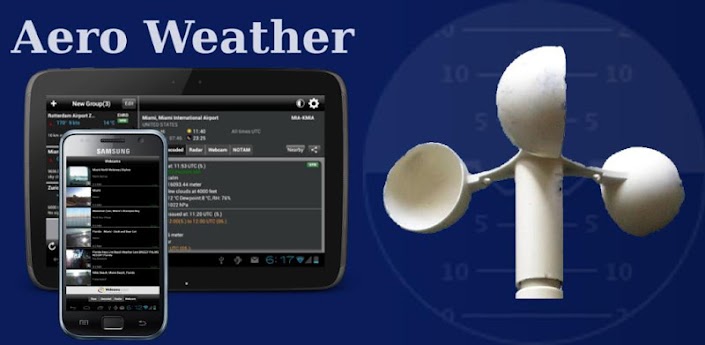
Finally, the famous Aeroweather app is now available on Android!

Get current and precise weather conditions (METAR) as well as weather forecasts (TAF), which are used by pilots for their flight preparations. You can choose worldwide airport weather stations from the built-in database by either name, ICAO or IATA code. Data will be shown in its original format or fully decoded into easy understandable texts.
** NOTE: in order to display temperatures in Fahrenheit, switch off "Show original units"!
Features:
- shows additional information like sunrise/sunset, station location/elevation, timezone, and daylight saving adjustment
- optionally displays all times in GMT or in the station's local time
- supports US and metric units
- display/adding of nearby stations


Sunday, June 16, 2013

Micromax Canvas 4… is on the Way….!

It is going to be a superphone and may give tough fight to top smartphones ruling the market right now. Here we take a look at Micromax Canvas 4 specs, features, Youtube teasers and release date rumors

Micromax’s forthcoming handset is making waves long before its arrival in the market. The handset comes with everything great and is expected to be not just iPhone 5 killer in the country, but will also be Galaxy S4 killer. This is because of the fact that the handset will come with exceptionally good specifications and will be substantially lower priced than the two top smartphones ruling the market right now.
The buzz in the air is so much about it that it is going viral on almost all social networks right now. The forthcoming handset from the Indian smartphone major is expected to be exceptionally good in all aspects. Micromax is enjoying the buzz in the social networking sites and is adding to the speculations by launching teasers after teasers on Youtube. This shows that Micromax has learnt the art of keeping people wait and hyping up things.

But the handset is going to be really an enticing product and should get mammoth response in the market when it is launched in the market. Micromax 4 is all set to be introduced in the next few weeks in the market and there are reasons to believe that the handset will be as good or almost as good as Korean tech giant Samsung’s flagship handset Galaxy S4. It is expected to come with 5-inch full HD display, 1.5GHz octacore processor and other top of the line specifications that will give tough fight to market leaders’ top smartphones that come for price in excess of Rs 40000. But given the fact that the handset is coming from and Indian smartphone manufacturer, it will come for around Rs 19000 to Rs 20000.

The Indian smartphone major is working overtime to come out with a real super phone. So far the company has reportedly released two teaser videos on its official YouTube channel. The promos were also spotted on TV during commercial breaks in the India vs. Pakistan ICC Champions Trophy match on Saturday. I am sure the company is expected to market the product very aggressively and it is going to become another highest selling handset in the Indian market.  A Times of India report suggest that the Micromax 4 will come with octa-core processor, 13 MP camera besides FullHD display quality. For a sub Rs 20K price tag, the handset will become an instant hit in the market. So things are very exciting at the moment.

Adblock Plus Re-Launches After Being Pulled from Google Play, Now Offers Automatic Updates

ku-xlarge (1)

Click Here to Download

The team behind Adblock Plus isn't taking Google's decision to pull ad-blocking apps from Google Play lying down. Today they've unveiled a new version that bypasses Google Play for updates, offers more ad-blocking features, and can be downloaded and installed directly.

Even if you already have Adblock Plus installed, you'll want the latest version. It comes with automatic updates, so as filtering rules improve and new bug fixes or features are added, you'll get them as soon as they're available. The new version also blends better with Android's Holo UI. To grab the app, hit the link below. You'll need to sideload the app to install it, meaning you should either download the APK installer on your phone or save the APK file somewhere you can copy it to your phone (like Dropbox, for example.)

Monday, May 27, 2013

Beautiful Widgets Android Application


unnamed (9)

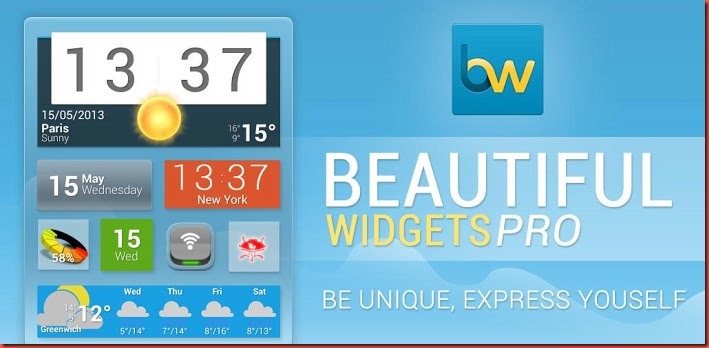
Tons of widgets, tons of themes, just for you. Beautiful Widgets is your best friend for customizing your home screen with clocks widgets, weather and other widgets. Make it personal, be unique & express yourself. You also get a beautiful weather application with animated weather!

Beautiful Widgets was the first paid app reaching 1 million of downloads. It has been Google Editor's Choice for more than a year, and more then 3 years in the top #5 paid applications in the Android Play Store (previously Android Market).

unnamed (3)unnamed (2)

Click Here to Download

Battery Widget Plus Android Application

d

Battery Widget plus shows an exact battery level on the status bar, health, temperature, voltage, CPU usage.

Clicking once installed widget, the widget shows the temperature and voltage.
Double-click the Setup screen appears.

bweunnamed (8)unnamed (7)

Click Here to Download

Related Posts Plugin for WordPress, Blogger...

bug