Tuesday, July 2, 2013

Akash 4 Specification with 4G Support

Just as expected, the government of India has conjured a list of proposed specifications for the Aakash 4 and with a view to stay true to its word, the HRD department has covered aspects that could give other affordabletablets in the market a run for their money. However, we cannot guarantee that the contract of manufacturing the fourth generation slate will indeed fall on Datawind’s lap.
The proposal starts with outlining the prerequisites for an onboard processor, providing a list of minimum scores that the CPU is supposed to obtain on AnTuTu, Quadrant Standard and a host of other such benchmark apps. It then moves on to the tablet’s GPU which should at the very least, support visuals at 720p resolution. The slate will most definitely repeat history and boast of a 480 x 800p or a higher definition screen which should ideally stretch as much as 7 inches diagonally.
Aakash Tablet Series
Additionally, the proposal covers support for a USB storage device, keyboard and mouse. Furthermore, compatibility with 2G, 3G and 4G networks with voice calling is an attribute that has been solicited for the device for the first time, while it will also facilitate data connectivity through external dongles. The ministry demands that the slab should run a version of Android Jelly Bean not below 4.2.1 and it should be dual bootable with various Linux distributions via an external SD card. If the government has its way, the Aakash 4 will come bundled with 1GB of DDR3 of RAM.
There will also be an internal storage capacity of 4GB, the shortfall of which will be compensated by a built-in microSD card slot supporting expansions of up to 32GB. As for the battery life, users should be able to reap at least 4 hours of video playback or 5 hours of web browsing time. Setting standards for the tablet’s design, the HRD department has requested for a device weighing not more than 500 grams and measuring under 7.5” x 5” x 0.75” in dimensions.
By the looks of it, the Aakash 4 will be taking a major leap away from its predecessors, most probably for the better. But what remains to be seen is whether interested stakeholders will be able to meet these demands without straying away from the low-budget aspect

Daily Gallery 03072013

funny_picdump_480_640_02


funny_picdump_480_640_03

 funny_picdump_480_640_10

 funny_picdump_480_640_17

 funny_picdump_480_640_19

 funny_picdump_480_640_21

 funny_picdump_480_640_26

 funny_picdump_480_640_30

 funny_picdump_480_640_40

 funny_picdump_480_640_high_08

 funny_picdump_480_640_high_33

Monday, July 1, 2013

How To Change The Password Using Command Prompt ?

Go To Run, And Type CMD, Enter

• Now you will have all of the account names and details.

• Now type “net user and the user name you want to change” without the quotations and press enter.

• Now the prompt will display complete details about the account and the password.

• Then if you type “net user and the user name between the stars” like “net user *XYZ* you will getmore information about the user to control it.

• But you don’t need to do that. Just type “net user and the username *”. For example “net user XYZ *” and press enter. (You should have a space after the user name)

• Now you will be prompted to enter a new password.

• When you enter the password, your cursor wont move, so don’t worry.

• After typing the password, press enter.

• Now again you will prompted to enter the same password for confirmation.

• Retype the password and press enter.

• This is smart enough to change the password using command prompt.

Hidden programs in Windows Xp

1. Private Character Editor :

Used for editing fonts,etc.

** start>>Run

** Now, type eudcedit


2. Dr. Watson :

This an inbuilt windows repairing software !

** start>>Run

** Now, type drwtsn32


3. Media Player 5.1 :

Even if you upgrade your Media Player, you can still access your old player in case the new one fails !!!

** start>>Run

** Now, type mplay32


4. iExpress :

Used to create SetupsYou can create your own installers !

** start>>Run

** Now, type iexpress

:cool:

Ponniyin Selvan tamil ebook pdf

Ponniyin_selvan_volume_1

CLICK HERE TO DOWNLOAD THE BOOK 

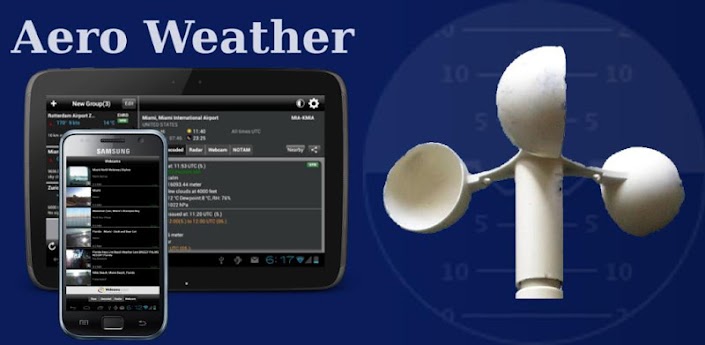
Aero Weather android apk full

.
AeroWeather


CLICK HERE TO DOWNLOAD

Finally, the famous Aeroweather app is now available on Android!

Get current and precise weather conditions (METAR) as well as weather forecasts (TAF), which are used by pilots for their flight preparations. You can choose worldwide airport weather stations from the built-in database by either name, ICAO or IATA code. Data will be shown in its original format or fully decoded into easy understandable texts.
** NOTE: in order to display temperatures in Fahrenheit, switch off "Show original units"!
Features:
- shows additional information like sunrise/sunset, station location/elevation, timezone, and daylight saving adjustment
- optionally displays all times in GMT or in the station's local time
- supports US and metric units
- display/adding of nearby stations


Related Posts Plugin for WordPress, Blogger...

bug